
Beginner’s Guide to Meta VR Devices: What You Need to Know
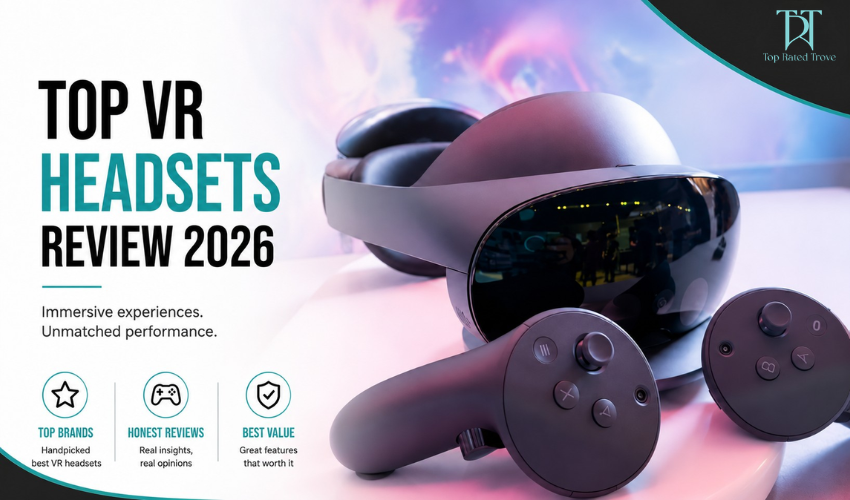
If you’re new to virtual reality, Meta VR devices can feel exciting but also a little confusing at first. The good news is that Meta has made VR much more beginner-friendly with devices like the Meta Quest 3 and Meta Quest 2. You don’t need a gaming PC or technical setup anymore just put on the headset and step into a virtual world. This guide breaks everything down in a simple, practical way so you can understand what really matters before buying your first VR headset.
Best Offers (Start Here)
Meta VR headsets often come with bundled game credits, app subscriptions, or discounted accessory packs during seasonal promotions, especially for new buyers entering VR for the first time.
What Is a Meta VR Device?
Meta VR headsets are standalone virtual reality systems, which means they work independently without needing a computer or external sensors. Everything runs directly on the headset itself, making it easy for beginners to get started. Once you wear the headset, you enter a fully digital environment where you can play games, watch videos, exercise, attend virtual events, and even interact socially in virtual spaces. This simplicity is one of the main reasons Meta VR devices are so popular today.
Meta’s Main VR Headsets (2026)
Meta Quest 3
The Meta Quest 3 is the latest and most advanced VR headset from Meta. It offers improved graphics, better performance, and a more comfortable design compared to previous generations. One of its standout features is mixed reality, which blends real-world surroundings with virtual objects for a more immersive experience.
👉 Best for: users who want the most advanced VR experience available today
Meta Quest 2
The Meta Quest 2 is an older model but still widely used because of its affordability and large library of games and apps. It remains one of the most popular entry-level VR headsets.
👉 Best for: beginners who want a budget-friendly introduction to VR
Best Offer – Meta Headset Deals
Meta Quest bundles often include free games or store credits, especially during major tech sales or holiday promotions.
Do You Need a PC for Meta VR?
The short answer is no. Meta VR headsets are designed to work as standalone devices, which makes them very beginner-friendly. However, if you want more advanced graphics and performance, you can connect them to a gaming PC.
There are two usage modes:
Standalone mode: simple, wireless, and easy to use
PC VR mode: higher graphics quality but more complex setup
👉 Beginners should always start with standalone mode for the smoothest experience.
What Can You Actually Do in VR?
Meta VR devices are not just for gaming they offer a wide range of experiences. Gaming is the most popular use case, with titles like Beat Saber, Superhot VR, and Resident Evil VR offering immersive gameplay that feels very different from traditional gaming. Fitness is another major use. VR workout apps turn exercise into interactive games, making fitness more engaging and consistent.
Entertainment includes watching movies on virtual big screens, exploring 360° videos, and attending live virtual events. Social and work use is also growing, allowing users to attend virtual meetings, hang out with friends, and explore productivity tools in immersive environments.
Comfort & Setup: What Beginners Should Know
Getting used to VR takes a little time. Most users adjust within a day or two, but it’s normal to feel slight motion discomfort at the beginning. Headsets can feel heavy during long sessions, so comfort is an important factor. Starting with short sessions of 15–20 minutes helps your body adjust more easily. Using a better head strap and taking regular breaks also improves the experience significantly.
Storage & Battery Life
Storage options typically start at 128GB, which is enough for most users who play a few games and use basic apps. If you plan to install many large games, higher storage options like 256GB are more suitable. Battery life usually lasts around 2–3 hours per session, depending on usage. External battery packs or accessories can extend playtime if needed.
Controllers & Tracking
Meta VR headsets use handheld controllers with motion tracking, which makes interaction feel natural and responsive. The tracking is accurate enough for gaming, fitness, and general navigation. Some newer models also support hand tracking, allowing you to interact without controllers, although beginners usually find controllers easier and more precise.
Pros and Cons
| Pros | Cons |
| Easy setup with no PC required | Limited battery life |
| Large library of apps and games | Less powerful than PC-based VR systems |
| Fully wireless for greater freedom of movement | Motion sickness can affect some users |
| Affordable entry point into virtual reality | Can become uncomfortable during long sessions |
Who Should Buy a Meta VR Device?
Meta VR devices are ideal for beginners who are curious about virtual reality, gamers looking for immersive experiences, fitness enthusiasts who want interactive workouts, and tech users exploring new digital experiences. They are not ideal for users who are highly sensitive to motion sickness, expect ultra-high-end console-level graphics, or want extremely long uninterrupted usage sessions.
Final Verdict: Is Meta VR Worth It?
Meta VR devices are currently the easiest and most accessible way to enter virtual reality in 2026. The experience is simple, wireless, and beginner-friendly, making it a great starting point for most users.
👉 Final takeaway:
If you want the best experience available, choose Meta Quest 3.
If you want an affordable entry into VR, choose Meta Quest 2.
VR no longer requires complex setups or expensive equipment. You simply put on the headset and start exploring new worlds.
Best Offers Reminder
Before buying, always check for current Meta bundles and seasonal discounts, as they often include free games or accessory upgrades that add extra value to your purchase.
FAQs
1. Is Meta Quest good for beginners?
Yes, it is one of the easiest VR systems for first-time users.
2. Do I need a PC to use Meta VR?
No, it works standalone, but PC connection is optional.
3. Is VR safe to use?
Yes, as long as you use it in a safe space and take regular breaks.
4. Can kids use Meta VR devices?
They are generally recommended for ages 13 and above.
5. How long can you use Meta VR at once?
Most users play comfortably for 1–2 hours per session.
6. Does Meta VR work offline?
Yes, many apps work offline after installation.
7. What is the best Meta VR headset in 2026?
Meta Quest 3 offers the most advanced experience currently available.
At Topratedtrove, we are dedicated to helping you shop more intelligently, spend more judiciously, and find superior value online. Regardless of whether you are a student, a parent, a fashion enthusiast, or just a sensible shopper, we link you to dependable savings opportunities and trustworthy buying options from your preferred brands across the globe
Subscribe
Sign up below to receive money-saving tips, frugal ideas, family-friendly recipes, and more.