
Complete Buying Guide for Google Smart Home Devices
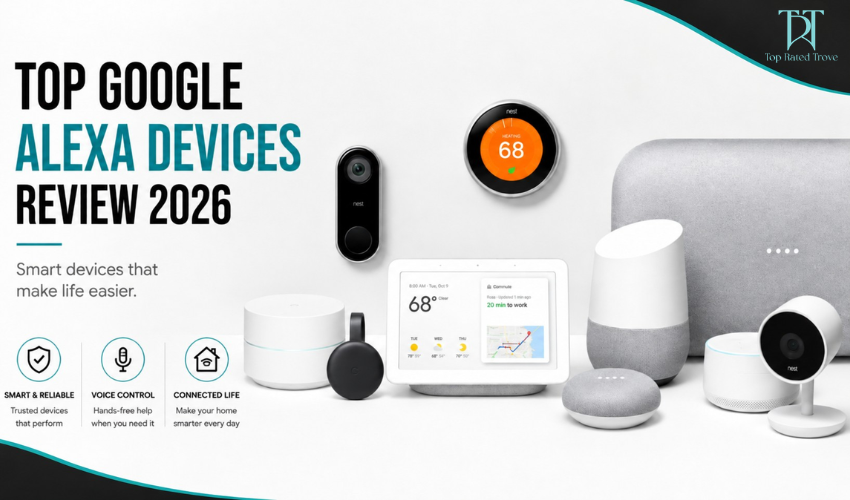
If you’re planning to build a connected home, Google smart home devices are one of the easiest ways to get started. The system is built around Google Home, which lets you control lights, cameras, TVs, speakers, and appliances from a single app or with voice commands. Instead of buying random smart gadgets, the real value comes from building an ecosystem where everything works together smoothly. This guide explains what to buy, how each device fits into your setup, and what actually matters before you spend your money.
Understanding the Google Smart Home Ecosystem
The Google smart home system runs through Google Home, which acts as the central control platform for all devices. Every compatible product connects via Wi-Fi and syncs with your Google account, allowing you to control everything from your phone or with voice commands through Google Assistant. You can also create automation routines like turning off lights at night, adjusting room temperature automatically, or playing music when you wake up. One of the biggest advantages is compatibility Google supports thousands of third-party smart devices, so you can expand your setup without being locked into one brand.
1. Google Nest Hub: The Control Center of Your Home
The Google Nest Hub (2nd Gen) is usually the starting point for most smart home setups. It acts as a visual dashboard where you can control all connected devices in one place. You can view camera feeds, adjust lighting, manage routines, and even use it as a voice assistant for everyday tasks like reminders, weather updates, and media control.
It’s especially useful because it combines both voice and touch control, making it easier for beginners who are new to smart home systems. Over time, it becomes the main control point for your entire home ecosystem.
2. Google Nest Audio: Voice Control Across Rooms
The Google Nest Audio speaker is designed for hands-free control across different rooms in your home. By placing multiple speakers in key areas, you can control devices, play music, or get information without using your phone. It also works as part of a multi-room setup, which means you can sync audio across your home or control everything using simple voice commands. Once connected to Google Home, it becomes a core part of daily smart home interaction.
3. Google Nest Cameras: Home Security Made Simple
Google Nest Cam devices are built for home security and real-time monitoring. They allow you to check live video feeds, receive motion alerts, and monitor your home remotely through the Google Home app. They are commonly used for front door monitoring, indoor security, or keeping an eye on pets and deliveries. The integration with Google Home makes it easy to combine security with other smart devices, such as triggering lights when motion is detected.
4. Google Nest Thermostat: Smart Temperature Control
The Google Nest Thermostat is designed to automate your home’s heating and cooling. It learns your temperature preferences over time and adjusts settings automatically to improve comfort and energy efficiency. You can also control it remotely from your phone, which is useful if you want to adjust your home temperature before arriving. Over time, it helps reduce energy usage by optimizing heating and cooling patterns based on your habits.
5. Chromecast with Google TV: Smart Entertainment Upgrade
Chromecast with Google TV turns any regular television into a smart TV. It allows you to stream content from platforms like YouTube, Netflix, and others while offering voice control through Google Assistant. It also integrates with your smart home system, meaning you can control playback or switch content using Nest speakers or your Google Home app. This makes it a simple yet powerful upgrade for home entertainment.
6. How Everything Works Together
The true power of Google smart home devices lies in integration. Once connected, all devices can be controlled through a single app or voice commands. You can create automation routines such as “Good Morning” to turn on lights, play news, and adjust temperature, or “Good Night” to lock doors, turn off lights, and activate security cameras.
This level of automation is what makes the ecosystem more valuable than individual devices working alone.
7. Pricing & Value Analysis
Google smart home devices vary from affordable speakers to more advanced hubs and security systems. The real value comes from scalability—you can start with one or two devices and expand over time. A small setup can already provide convenience, while a full setup can automate almost every aspect of your home.
The best approach is not to buy everything at once but to build your system gradually based on your needs and lifestyle.
Pros and Cons
8. Common Mistakes to Avoid
Many users make the mistake of buying too many devices at once without understanding how they will use them. Another common issue is ignoring Wi-Fi strength, which can cause delays or connection problems. Mixing incompatible ecosystems can also reduce efficiency. The best approach is to start small and expand gradually as your needs become clearer.
Final Verdict
Google smart home devices are not about individual products they are about creating a connected system that simplifies everyday life. When properly set up, everything works together through one app and voice control, making home management much easier.
👉 Final takeaway:
Best for beginners → Google ecosystem is simple and scalable
Best feature → Unified control through Google Home
Biggest strength → Strong compatibility and automation options
If you build it step by step, it becomes one of the most practical and user-friendly smart home systems in 2026.
FAQ
1. What is the best Google smart home starter device?
The Google Nest Hub is the best starting point as it acts as a central control system.
2. Do Google smart home devices work without internet?
No, most features require Wi-Fi and cloud connectivity.
3. Can I mix Google devices with other brands?
Yes, Google supports a wide range of third-party smart home devices.
4. Is Google smart home expensive?
It depends on your setup, but you can start small and expand gradually.
5. Is it easy to set up?
Yes, setup is beginner-friendly using the Google Home app.
At Topratedtrove, we are dedicated to helping you shop more intelligently, spend more judiciously, and find superior value online. Regardless of whether you are a student, a parent, a fashion enthusiast, or just a sensible shopper, we link you to dependable savings opportunities and trustworthy buying options from your preferred brands across the globe
Subscribe
Sign up below to receive money-saving tips, frugal ideas, family-friendly recipes, and more.